

- Messages
- 311
- Reaction score
- 0
- Points
- 18
Reputation:
 HaydarGame
HaydarGame KC Purchase Page
Step 1 — Register
If you do not have an account:
- Register on the HaydarGame website
- Activate your account via the confirmation email
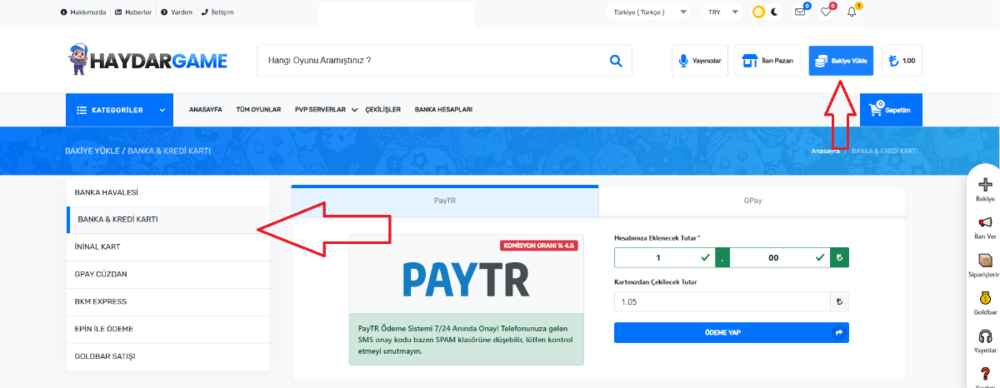
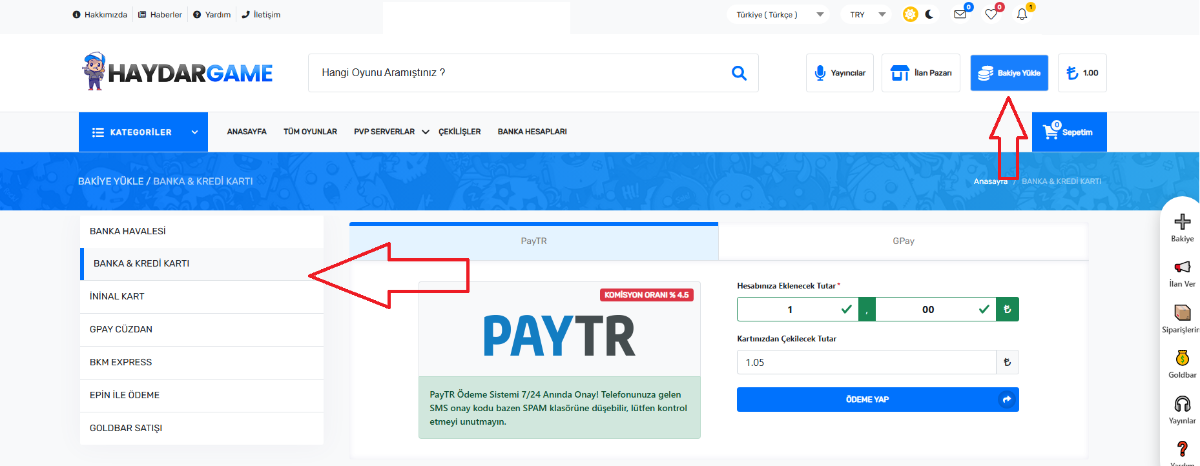
Step 2 — Add Balance
Go to “Bakiye Yükle” and add balance using your preferred payment method:
- Credit Card
- Your website balance
- Online payment options
Step 3 — Purchase KC
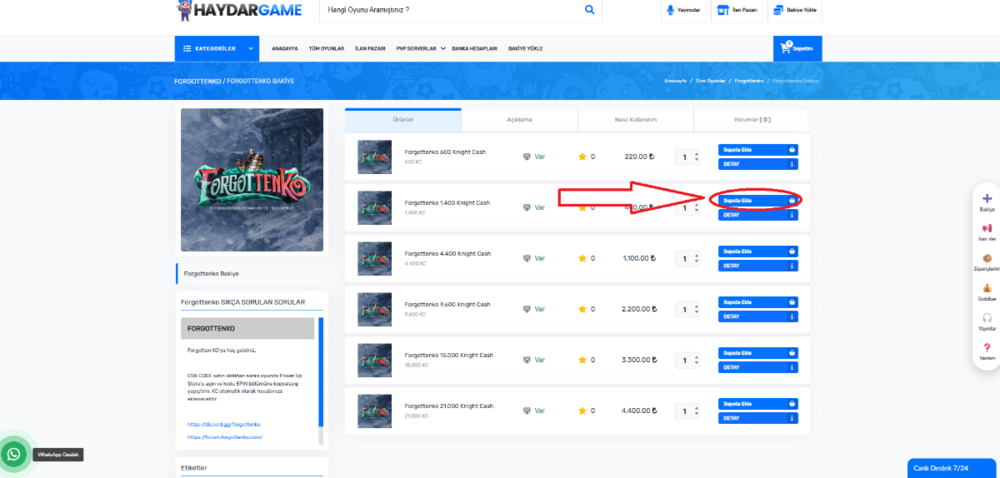
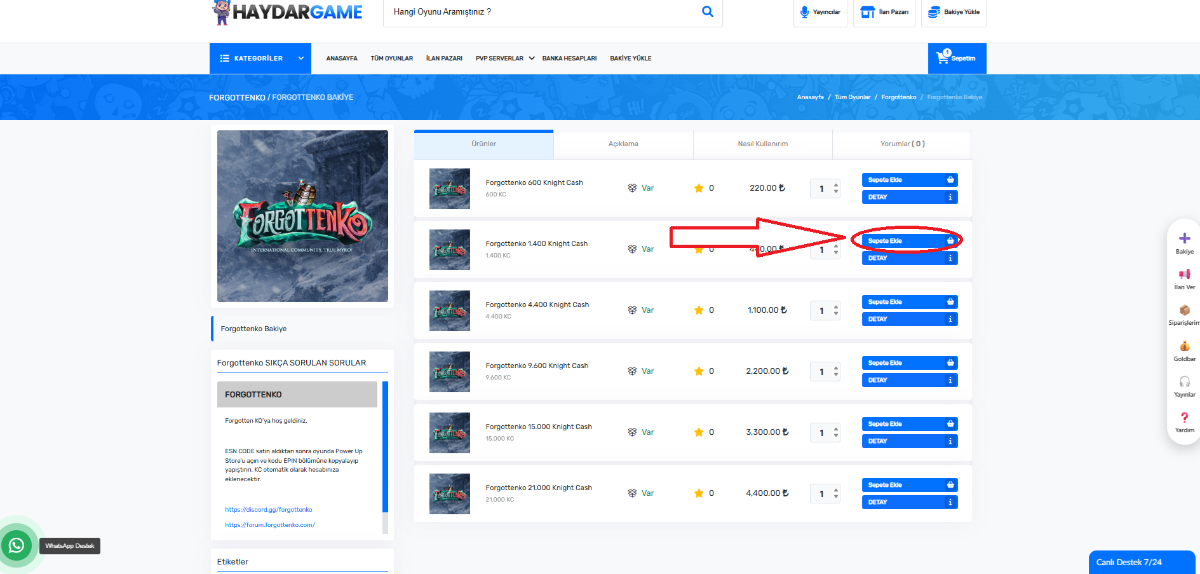
- Search for ForgottenKO
or open the purchase page directly. https://www.haydargame.com/game/forgottenko/forgottenko-bakiye - Select the KC amount you want.
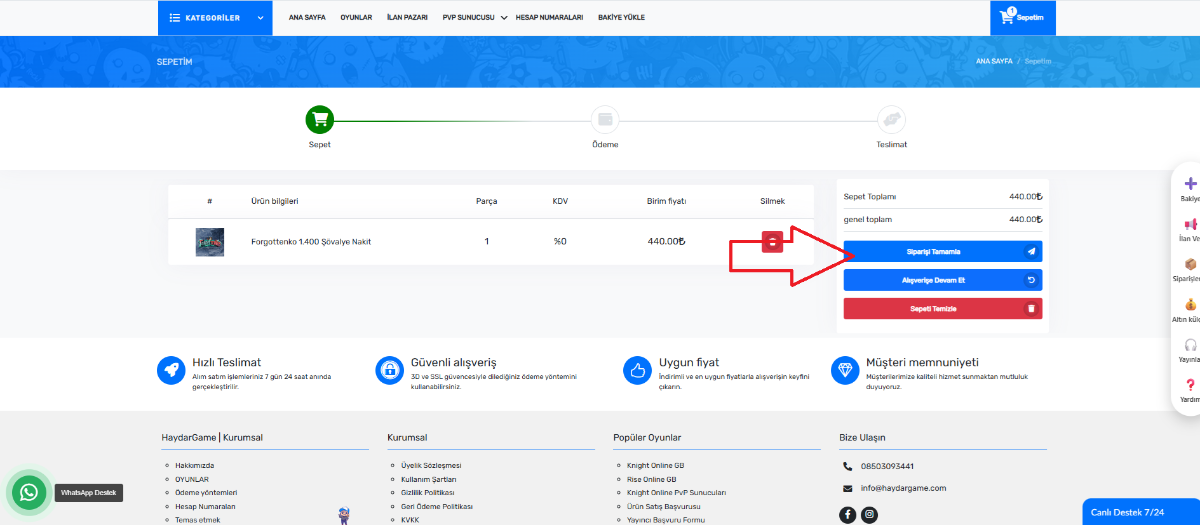
- Click Add to Basket (Sepete Ekle)
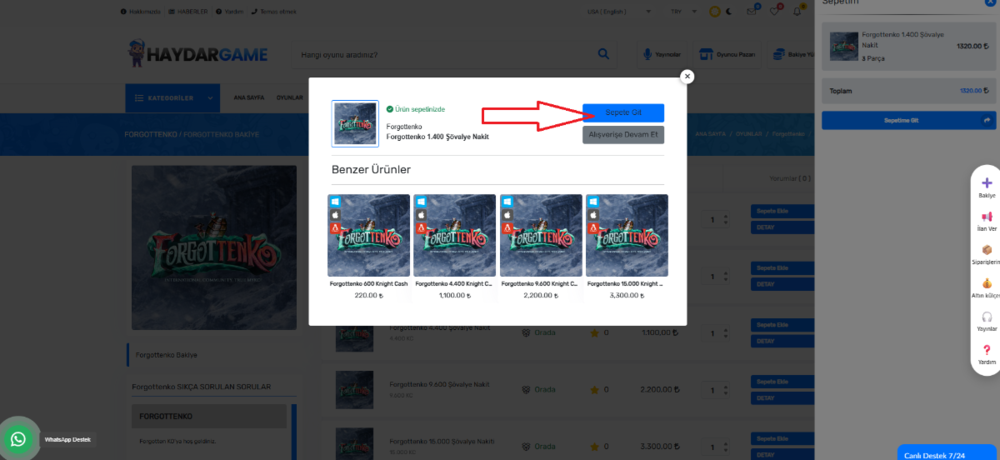
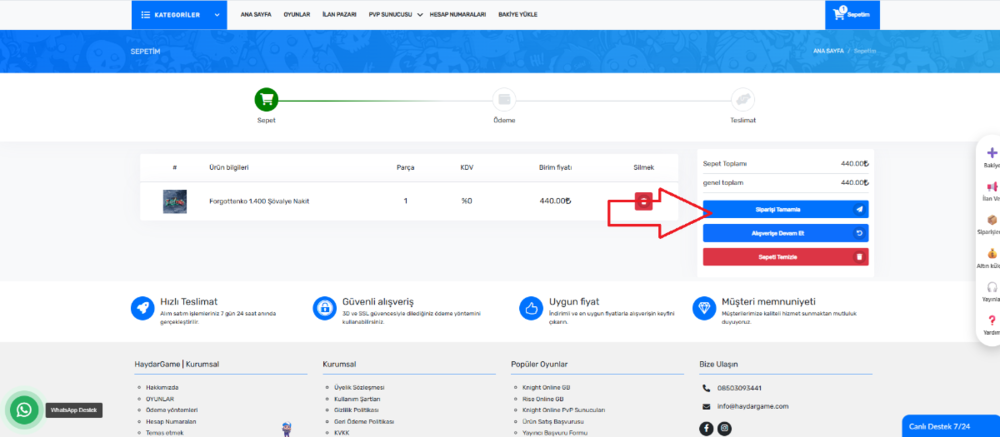
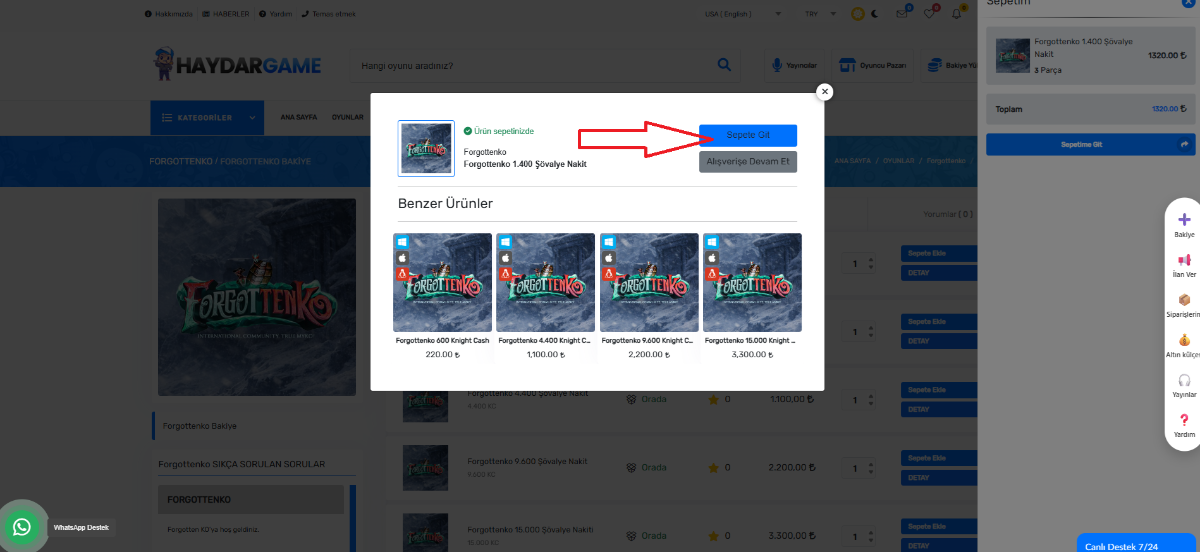
- Click Go to Cart (Sepete Git)
- Click Complete Payment (Siparişi Tamamla)
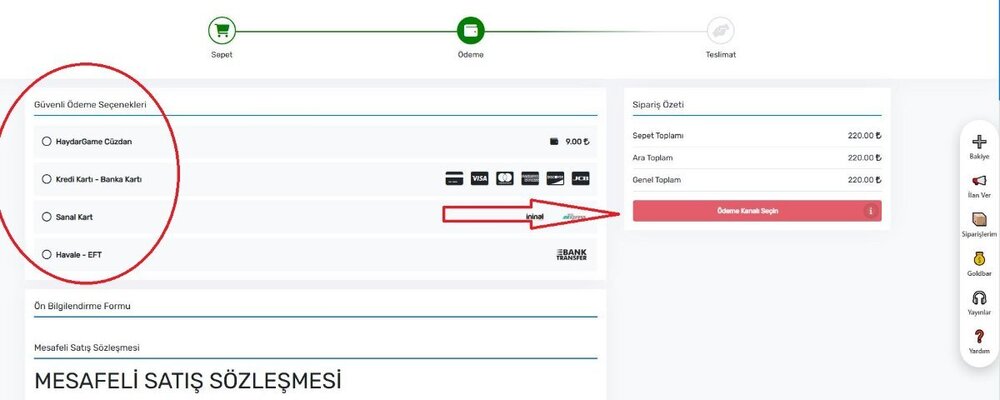
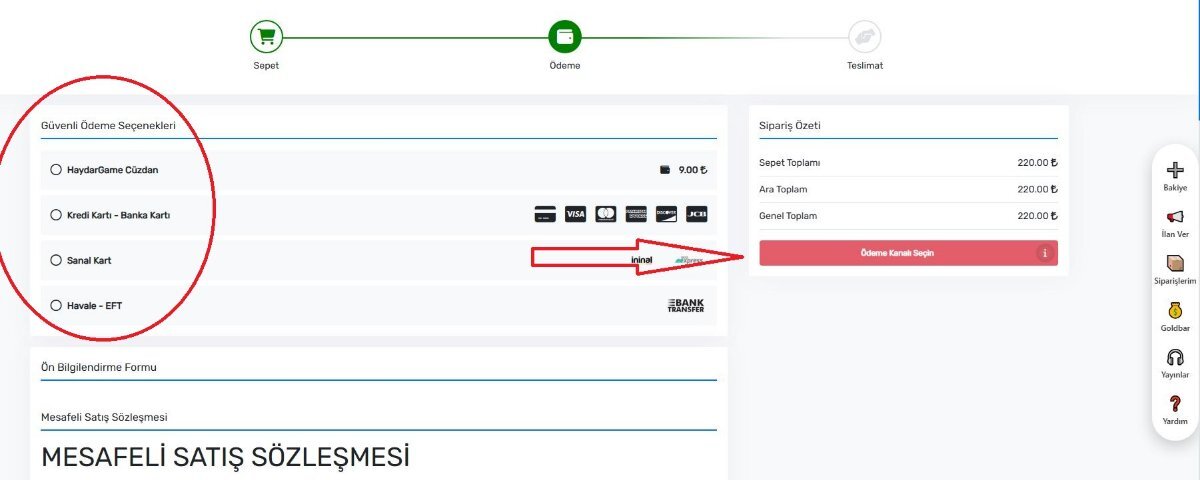
- Click Your Pay Method (your website balance or credit card or other methods > Pay Method Channel ( Ödeme Kanalını Seçin )
After the payment is completed:
🎟 Your E-Pin KC Code will be generated.
You can also find the code in:
My Orders (Siparişlerim) section.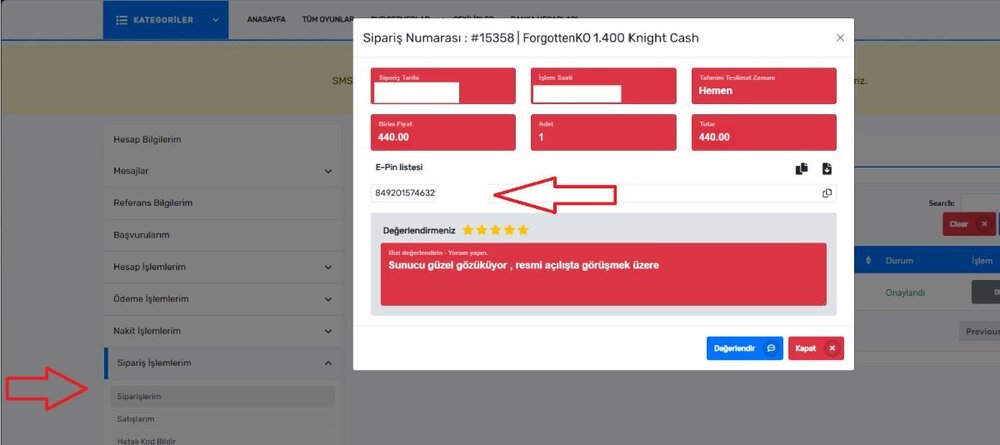
━━━━━━━━━━━━━━━━━━━━━━━━━━━━━━
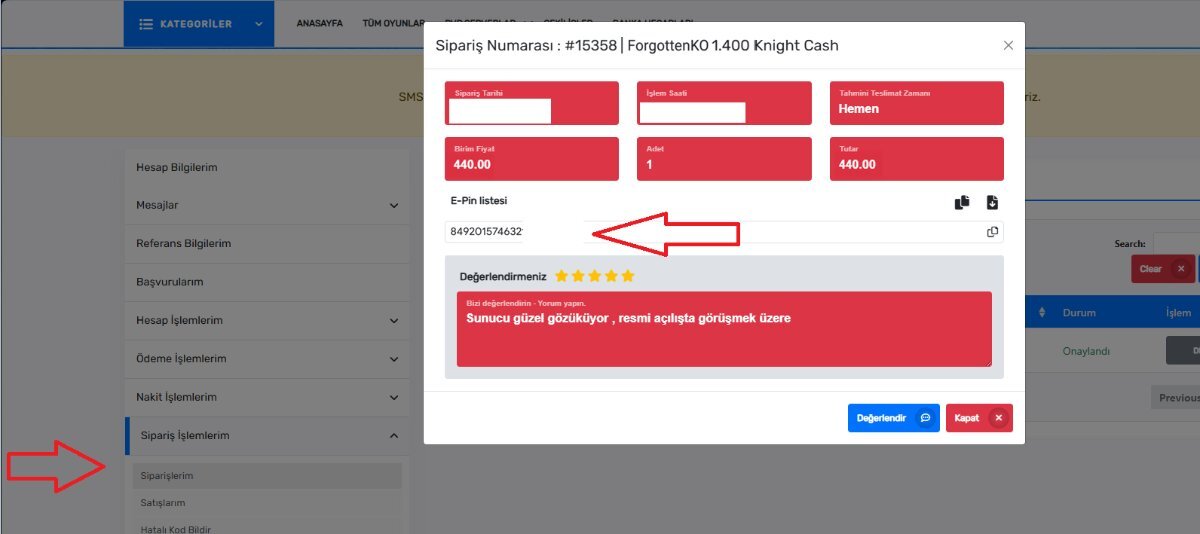
🎟 Your E-Pin KC Code will be generated.
You can also find the code in:
My Orders (Siparişlerim) section.
━━━━━━━━━━━━━━━━━━━━━━━━━━━━━━
 Final Step — Redeem KC In Game
Final Step — Redeem KC In Game- Login to the game
- Open PUS (Power Up Store)
- Go to Use E- PIN Code
- Paste your E-PIN Code
- Click Confirm
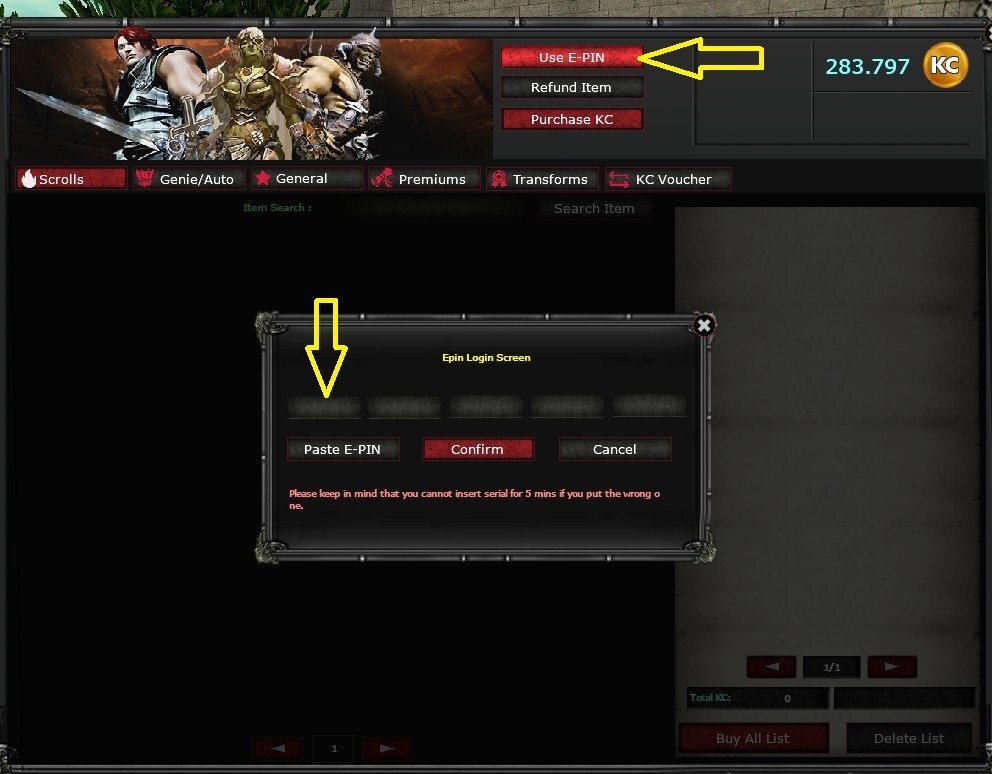
 Your KC will be added instantly to your account.
You can also review your codes in User CP → ESN Code Logs.

━━━━━━━━━━━━━━━━━━━━━━━━━━━━━━