ForgottenKO Global - Official Forum

ForgottenKO Welcome to the forum. Register right now to make the most of the forum..

HaydarGame purchase guide ( SatınAlma Rehberi )

Admin

Administrator
Staff member
Admin
Yeni Knight
Messages
307
Reaction score
0
Points
18

Reputation:

💳 How to Buy KC – ForgottenKO​

HaydarGame​

You can also purchase KC using the HaydarGame website.

🔗 KC Purchase Page
https://www.haydargame.com/game/forgottenko/forgottenko-bakiye

🔗 Website
https://www.haydargame.com

Step 1 — Register
If you do not have an account:

Register on the HaydarGame website
Activate your account via the confirmation email

Step 2 — Verify Your Account​

Follow the verification steps shown on the website.​

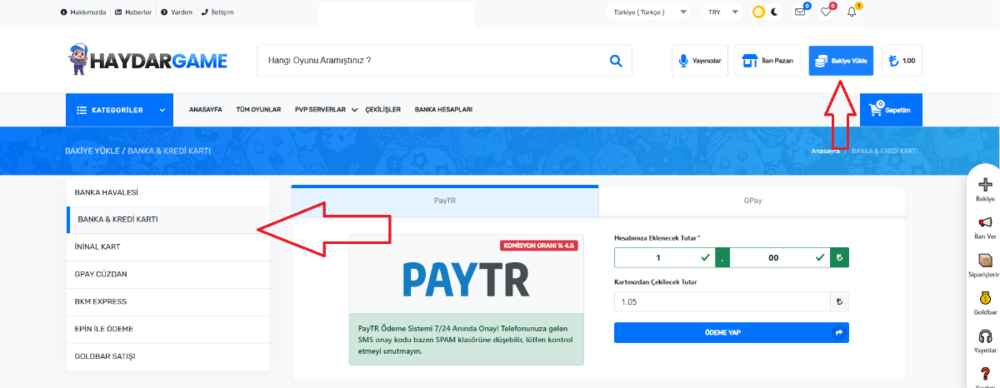
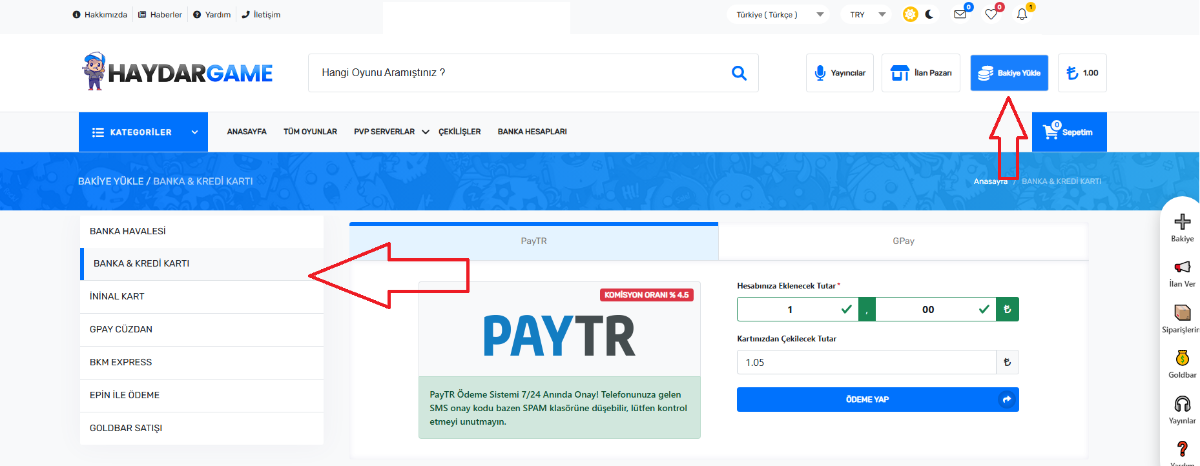
Step 3 — Add Balance​

Go to “Bakiye Yükle” and add balance using your preferred payment method:

1788260759834.png


Credit Card
Online payment options​

Step 4 — Purchase KC​

Search for ForgottenKO
or open the purchase page directly. https://www.haydargame.com/game/forgottenko/forgottenko-bakiye
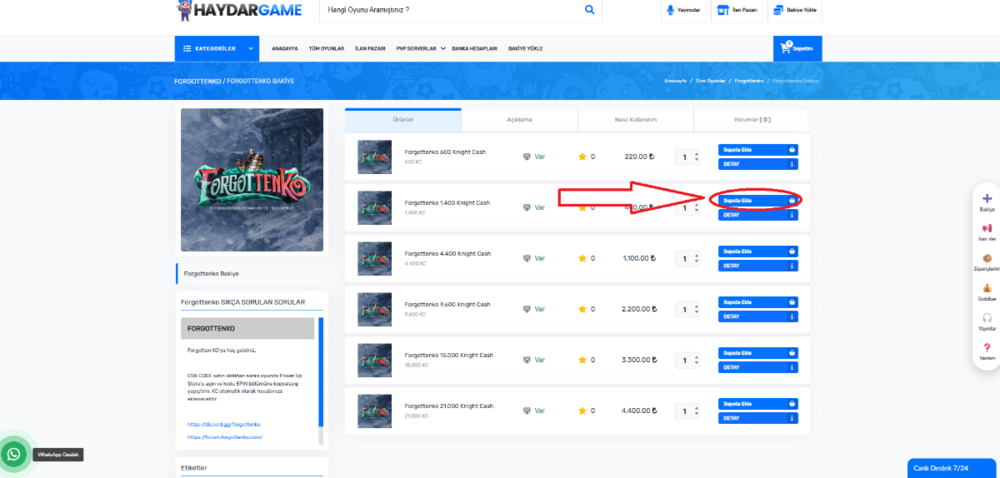
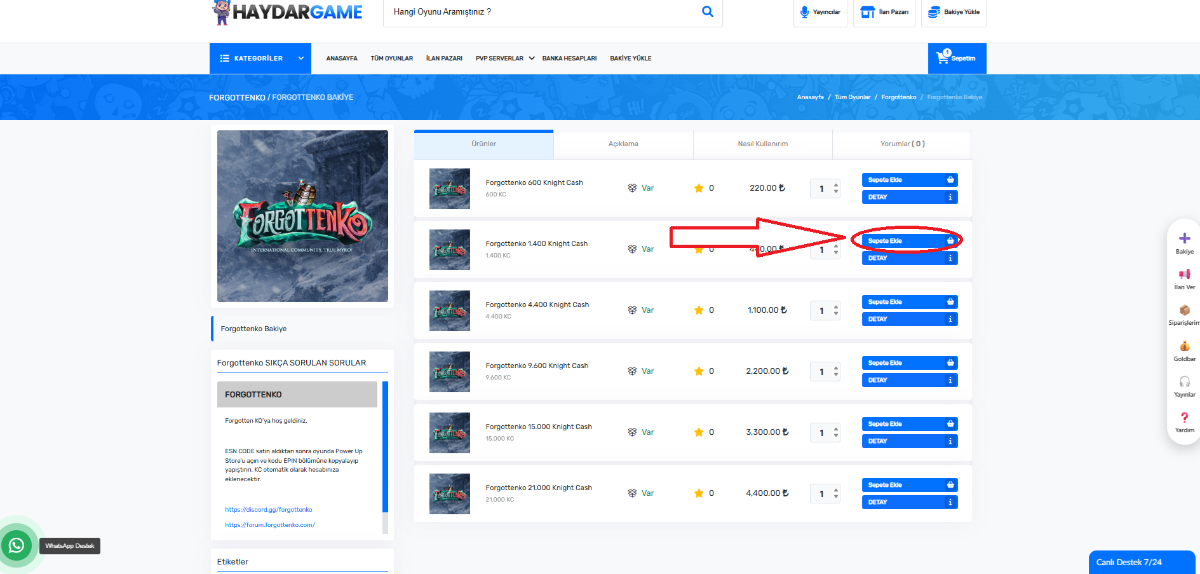
Select the KC amount you want.
1788251493312.png


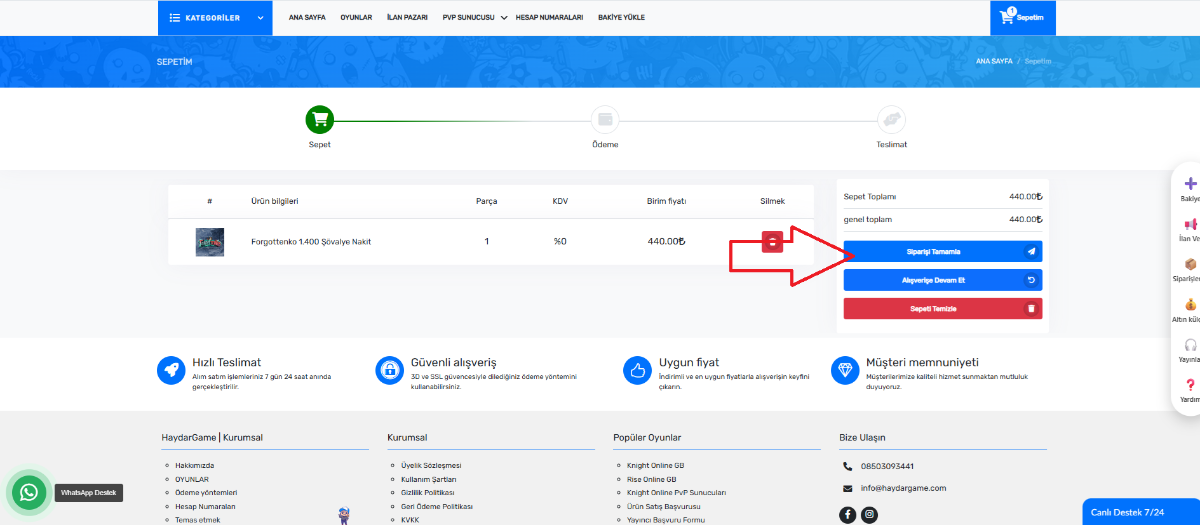
Click Add to Basket (Sepete Ekle)
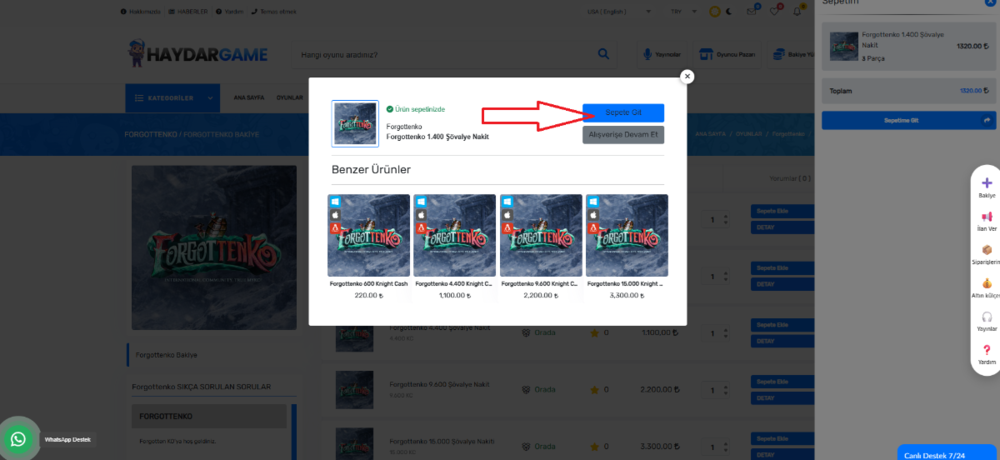
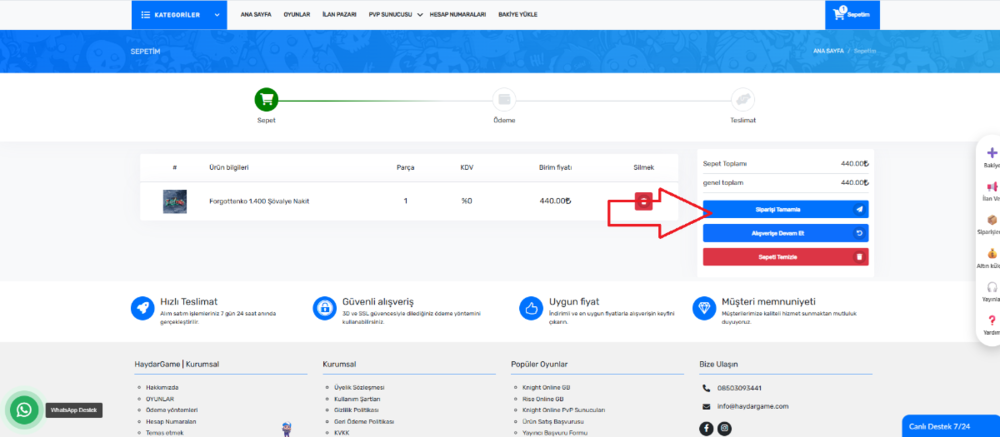
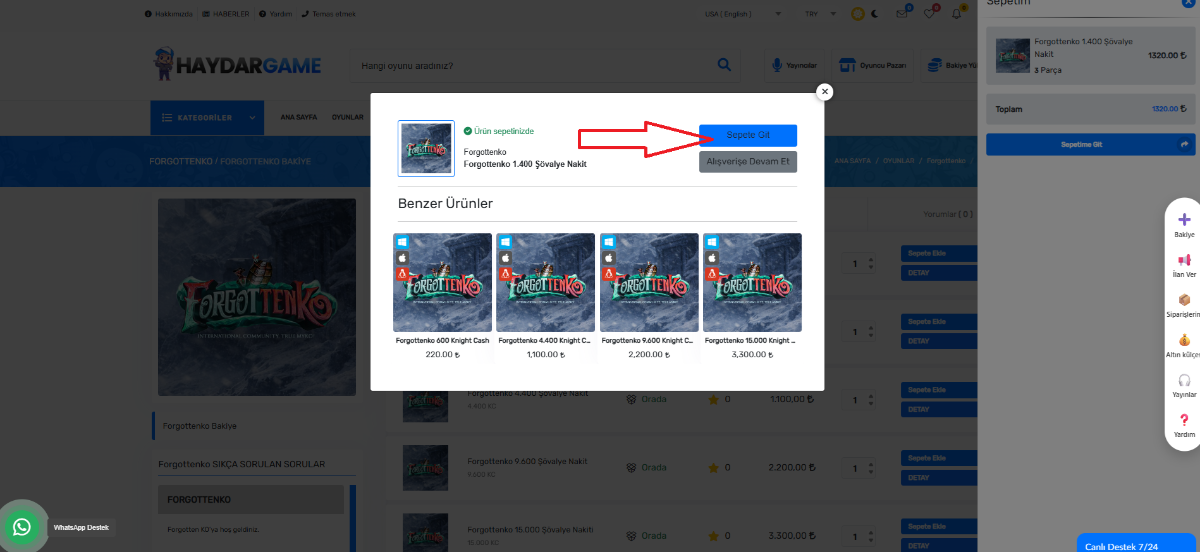
Click Go to Cart (Sepete Git)
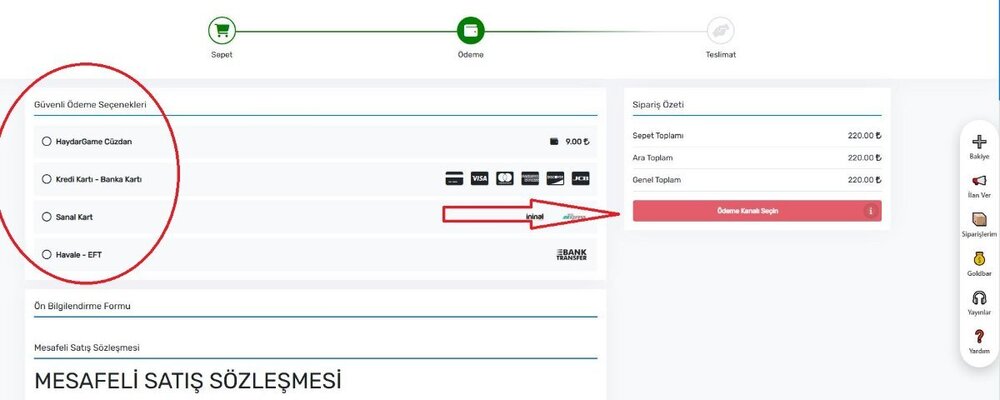
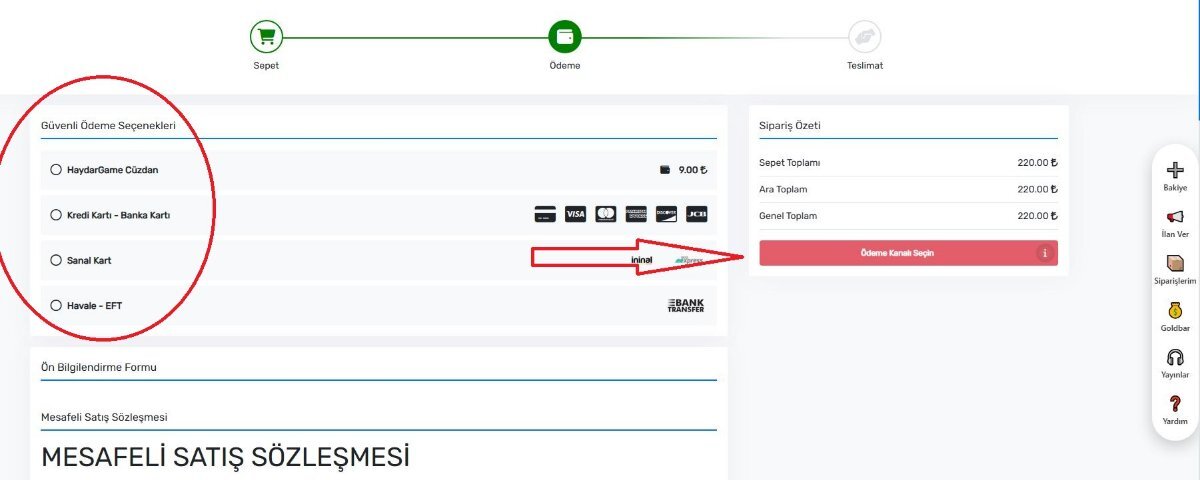
Click Complete Payment (Alışverişi Tamamla)
1788259900607.png


After the payment is completed:

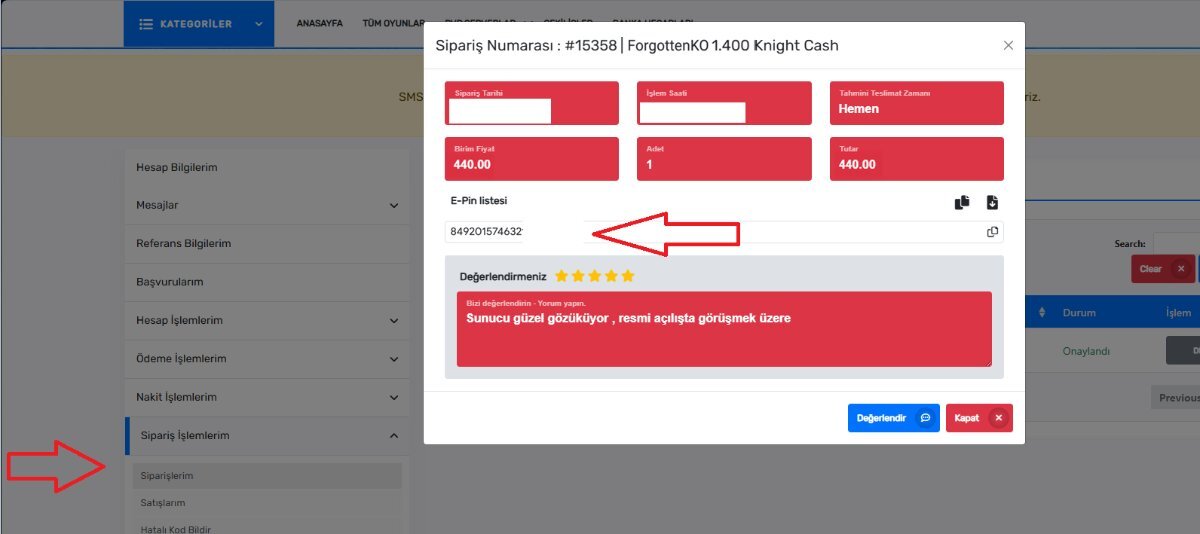
🎟 Your E-Pin KC Code will be generated.

You can also find the code in:
My Orders (Siparişlerim) section.
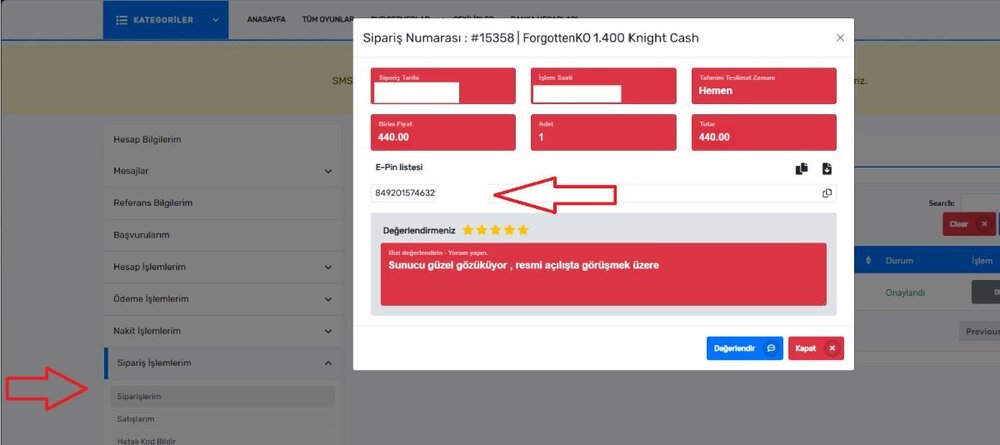
1788260073391.png


━━━━━━━━━━━━━━━━━━━━━━━━━━━━━━​

🎮 Final Step — Redeem KC In Game​

Login to the game
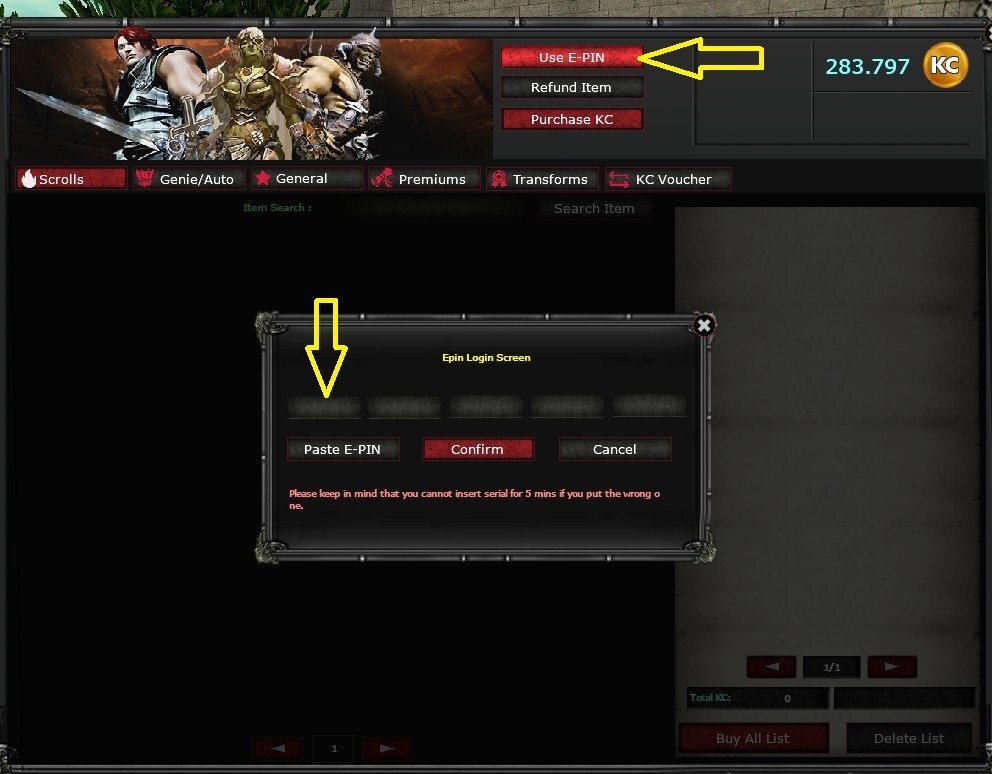
Open PUS (Power Up Store)
Go to Use E- PIN Code
Paste your E-PIN Code
Click Confirm

1788251362849.png


✅ Your KC will be added instantly to your account.

You can also review your codes in User CP → ESN Code Logs.

1788260348343.png

1788262552791.png
━━━━━━━━━━━━━━━━━━━━━━━━━━━━━━

✔ If you experience any payment issues, contact server support.


━━━━━━━━━━━━━━━━━━━━━━━━━━━━━━​
 
Last edited:

Admin

Administrator
Staff member
Admin
Yeni Knight
Messages
307
Reaction score
0
Points
18

Reputation:

💳 HaydarGame​


Adım 1 — Kayıt​

Eğer hesabınız yoksa:

HaydarGame web sitesine kaydolun
Hesabınızı onay e-postası aracılığıyla etkinleştirin.​

Adım 2 — Bakiye (Para) Yükle​

“Bakiye Yükle” bölümüne gidin ve tercih ettiğiniz ödeme yöntemiyle bakiye yükleyin:
1788262699240.png

Kredi Kartı
Web sitenizin bakiyesi
Çevrimiçi ödeme seçenekleri​

Adım 3 — KC Satınalım​

ForgottenKO'yu arayın
veya doğrudan satın alma sayfasına gidin. https://www.haydargame.com/game/forgottenko/forgottenko-bakiye
İstediğiniz KC miktarını seçin.
1788262744088.png
(Sepete Ekle)
(Sepete Git)
(Siparişi Tamamla)
1788262770938.png

( Ödeme Kanalını Seçin )
Ödeme tamamlandıktan sonra:

🎟 E-PIN KC kodunuz oluşturulacaktır.

Kodu ayrıca şu adreste de bulabilirsiniz:
(Siparişlerim)

1788262817148.png

━━━━━━━━━━━━━━━━━━━━━━━━━━━━━━

🎮 Final Adım — Oyunda KC'yi Kullanın​

Oyuna giriş yap
PUS'u aç (Power Up Store)
E-PIN Kodunu Kullan sayfasına gidin
E-PIN kodunuzu yapıştırın.
Confirm tıkla

1788262837119.png


✅ KC'niz anında hesabınıza eklenecektir.


Web sitemizden Kodlarınızı Kullanıcı Kontrol Paneli → ESN Kod Kayıtları bölümünden de inceleyebilirsiniz.

1788262865510.png
1788262875436.png

✔ Ödeme sorunlarıyla karşılaşırsanız, sunucu desteğiyle iletişime geçin.
 
Last edited:
Top