
- Messages
- 269
- Reaction score
- 0
- Points
- 18
Reputation:
 Advanced Genie System – Guide
Advanced Genie System – GuideThe game features an advanced Genie system that allows automatic combat, recovery, and support actions.
 Genie Usage & Requirements
Genie Usage & RequirementsPurchase Genie + Auto Loot from PUS (sold as a package)
Exchange the item at Kaira NPC (Moradon) to activate
Broncze premium required
 No level requirement
Exchange the item at Kaira NPC (Moradon) to activate
Broncze premium required
No level requirement Genie Menu
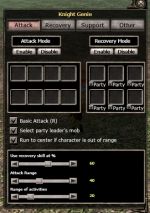
Genie MenuStart / Stop / Settings buttons control the Genie
Use the box at the bottom-left to save the monster you want to attack
Use the box at the bottom-left to save the monster you want to attack
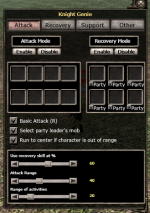
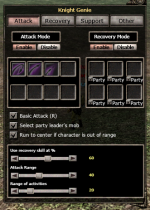
 Attack Section
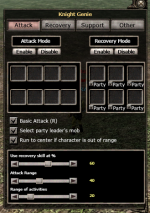
Attack SectionPlace desired skills into the Skill Register
Set Attack Mode to ENABLE
Attack Range: Adjusts how far your character can attack from
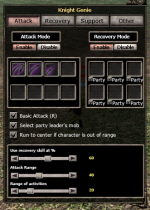
Set Attack Mode to ENABLE
Attack Range: Adjusts how far your character can attack from
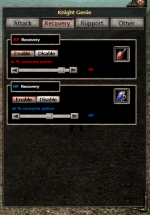
 Recovery Section
Recovery SectionPlace HP and MP potions
Adjust the percentage bars for potion usage
Set each section to ENABLE to activate auto-recovery
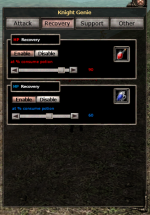
Adjust the percentage bars for potion usage
Set each section to ENABLE to activate auto-recovery
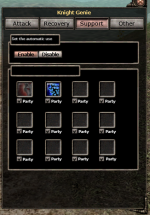
 Support Section
Support SectionAdd support skills or scrolls
Example: HP Scroll, Wolf, 1500 Buff
✔ Enable Party option if you want party members to benefit
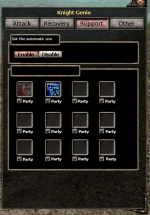
Example: HP Scroll, Wolf, 1500 Buff
✔ Enable Party option if you want party members to benefit
 Other Settings
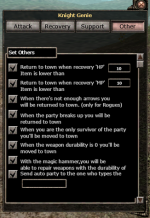
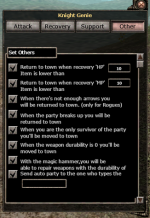
Other SettingsReturn to town when HP potions reach a set amount
Return to town when MP potionsreach a set amount
Example: Enter 10 → returns when 10 pots remain
(Archers) Return to town when arrows run out
Return to town if party disbands or you are expelled
Return to town if you are the only one left in the party
Return to town when weapon durability reaches zero
If weapon or armor durability reaches zero and you have a Genie Hammer, it will auto-repair
Return to town when MP potionsreach a set amount
Example: Enter 10 → returns when 10 pots remain
(Archers) Return to town when arrows run out
Return to town if party disbands or you are expelled
Return to town if you are the only one left in the party
Return to town when weapon durability reaches zero
If weapon or armor durability reaches zero and you have a Genie Hammer, it will auto-repair
Last edited: