ForgottenKO Global - Official Forum

ForgottenKO Welcome to the forum. Register right now to make the most of the forum..

🎥 Advanced Video Recording Feature ( Gelişmiş Video Kayıt Özelliği )

Admin

Administrator
Staff member
Admin
Yeni Knight
Messages
311
Reaction score
0
Points
18

Reputation:

🎥 Advanced Video Recording Feature


How does it work & how to activate it?

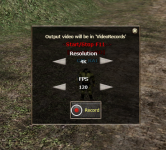
Press F11 in the game to open the video recording interface.

From the Video Record section, you can adjust the recording quality.
The system supports resolutions up to 4K.

In the FPS section, FPS refers to the number of frames per second:
  • 30 FPS = 30 frames per second​
  • 60 FPS = 60 frames per second
    The system supports up to 120 FPS.​
To start recording, simply click the Record option.

Press F11 again to stop the recording.
Once stopped, the recorded video will appear at the bottom-right corner of the screen.

record.jpeg
 

Admin

Administrator
Staff member
Admin
Yeni Knight
Messages
311
Reaction score
0
Points
18

Reputation:

🎥 Gelişmiş Video Kayıt Özelliği


Nasıl çalışır ve nasıl etkinleştirilir?

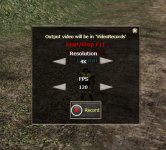
Oyunda F11 tuşuna basarak video kayıt arayüzünü açın.

Video Kayıt bölümünden kayıt kalitesini ayarlayabilirsiniz.
Sistem 4K'ya kadar çözünürlükleri desteklemektedir.

FPS bölümünde, FPS saniyedeki kare sayısını ifade eder:
  • 30 FPS = Saniyede 30 kare​
  • 60 FPS = Saniyede 60 kare​
  • Sistem 120 FPS'ye kadar desteklemektedir.​
Kaydı başlatmak için Record seçeneğine tıklamanız yeterlidir.

Kaydı durdurmak için tekrar F11 tuşuna basın.

Durdurulduktan sonra, kaydedilen video ekranın sağ alt köşesinde görünecektir.

record.jpeg
 
Top